

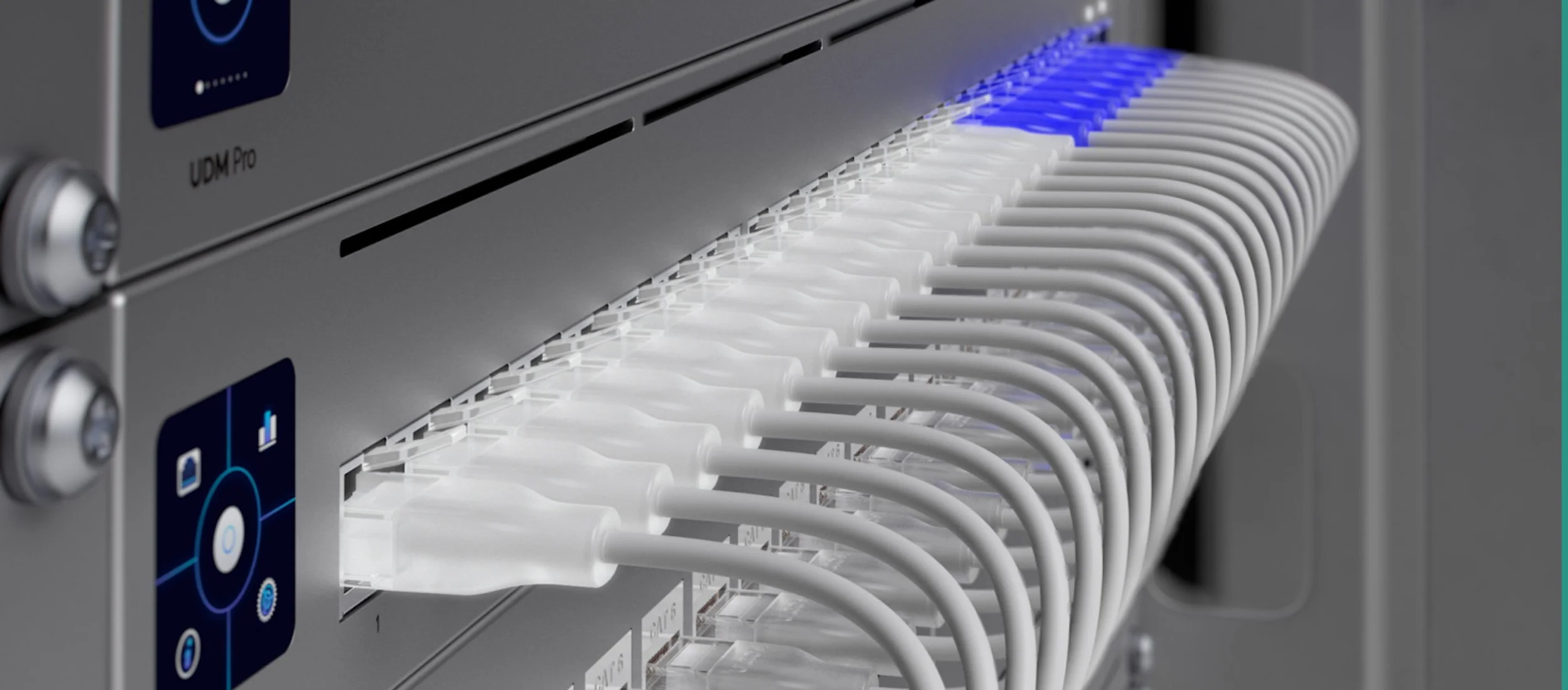
At VIP Smart Homes, the network is where every project begins. Your lighting, shading, climate control, cameras, audio, video, and voice systems all run on it. If the network is not right, nothing is right, and the first thing you feel is a dead zone or a dropped connection in the room you use most. We are an Official UniFi Partner, and UniFi is the platform we build on for high end homes and estates across Bellevue, Medina, Mercer Island, Sammamish, Seattle, and the wider Eastside.
We design and install enterprise grade networks for luxury residences: structured cabling, managed PoE switching, Wi-Fi 7 access points, VLAN segmentation, and 24/7 remote monitoring. Send us your architect's plans or your existing equipment list, and we design around exactly what your project needs.

VIP Smart Homes is an Official UniFi Partner
Direct manufacturer access, deal registration, and pre sales engineering support from Ubiquiti. Every UniFi system we deploy is backed by the same channel programs that support the world's largest enterprise integrators.
Whole Home Coverage, Done the Reliable Way
Coverage in every room, out on the patio, and all the way to the guest house, with no dead zones and no spot where a video call drops. Most homeowners try to get there with a consumer mesh kit. We do not install mesh, and here is why. Mesh nodes talk to each other over the air, so every wireless hop cuts your real speed and adds latency, and one weak link drags down the whole chain. In a large home with plaster, concrete, and multiple floors, that compromise shows up exactly where you notice it most. We build the way commercial buildings do it: dedicated UniFi access points, each one hardwired back to a managed switch over its own Cat6a run and powered over that same cable by PoE. Every access point delivers full bandwidth, roaming between them stays seamless, and there is no wireless backhaul to bottleneck or fail.
Why Mesh Falls Short
Mesh systems relay traffic from node to node over the air. Each wireless hop reduces throughput and stacks latency, and a single weak link drags down everything downstream of it. For a small apartment it can be fine. For a luxury home with thick walls, large glass, and multiple floors, it is the wrong tool for the job.
How We Build It
Every UniFi access point is wired back to a managed PoE switch, so each one delivers full speed with no shared backhaul. Devices roam from room to room on a single network name without dropping the connection. It is more work to install, and it is the only approach we trust in a home this size.
The UniFi Platform: From One Home to an Estate
UniFi is our primary platform for luxury residential and estate scale projects. One dashboard manages every device on your network: gateways, switches, access points, cameras, and door access, with enterprise grade performance and a level of integration that is hard to match. Here is the hardware we reach for most, led by the new Dream Machine Beast.
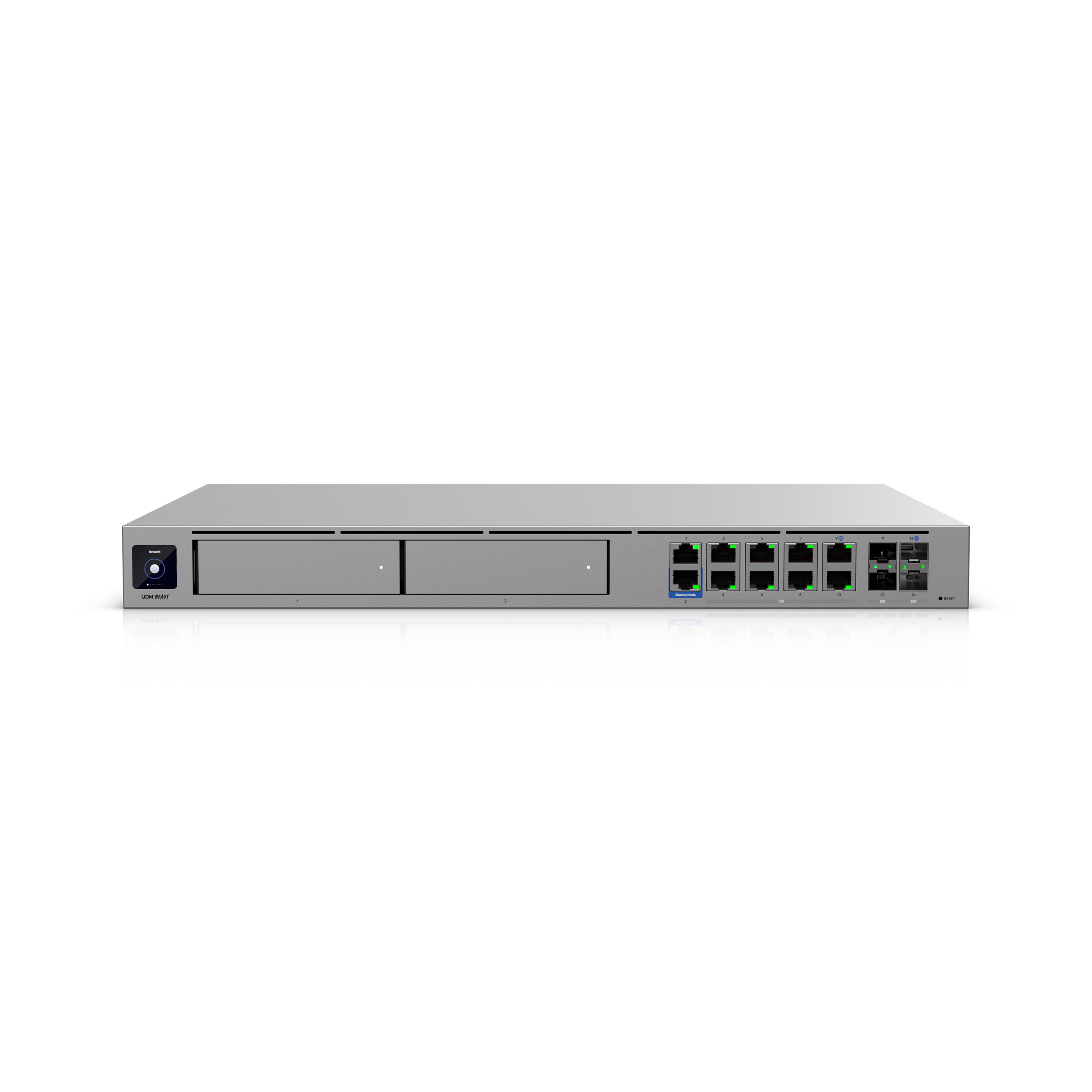
UniFi Dream Machine Beast
2026 Flagship Cloud GatewayUbiquiti's 2026 flagship console. An 8 core ARM v9 processor with 16 GB RAM and a 128 GB SSD drives 25 Gbps IDS/IPS throughput, support for 750+ UniFi devices, and 7,500+ concurrent clients. Ports include (8) 10 GbE RJ45, (2) 25G SFP28, (2) 10G SFP+, and (2) 1 GbE, with up to 8 WAN ports for multi gig internet and failover. Dual 3.5 inch bays add onboard UniFi Protect camera storage. It carries no PoE, so it pairs with a managed PoE switch to power your access points and cameras. 1U rack mount.
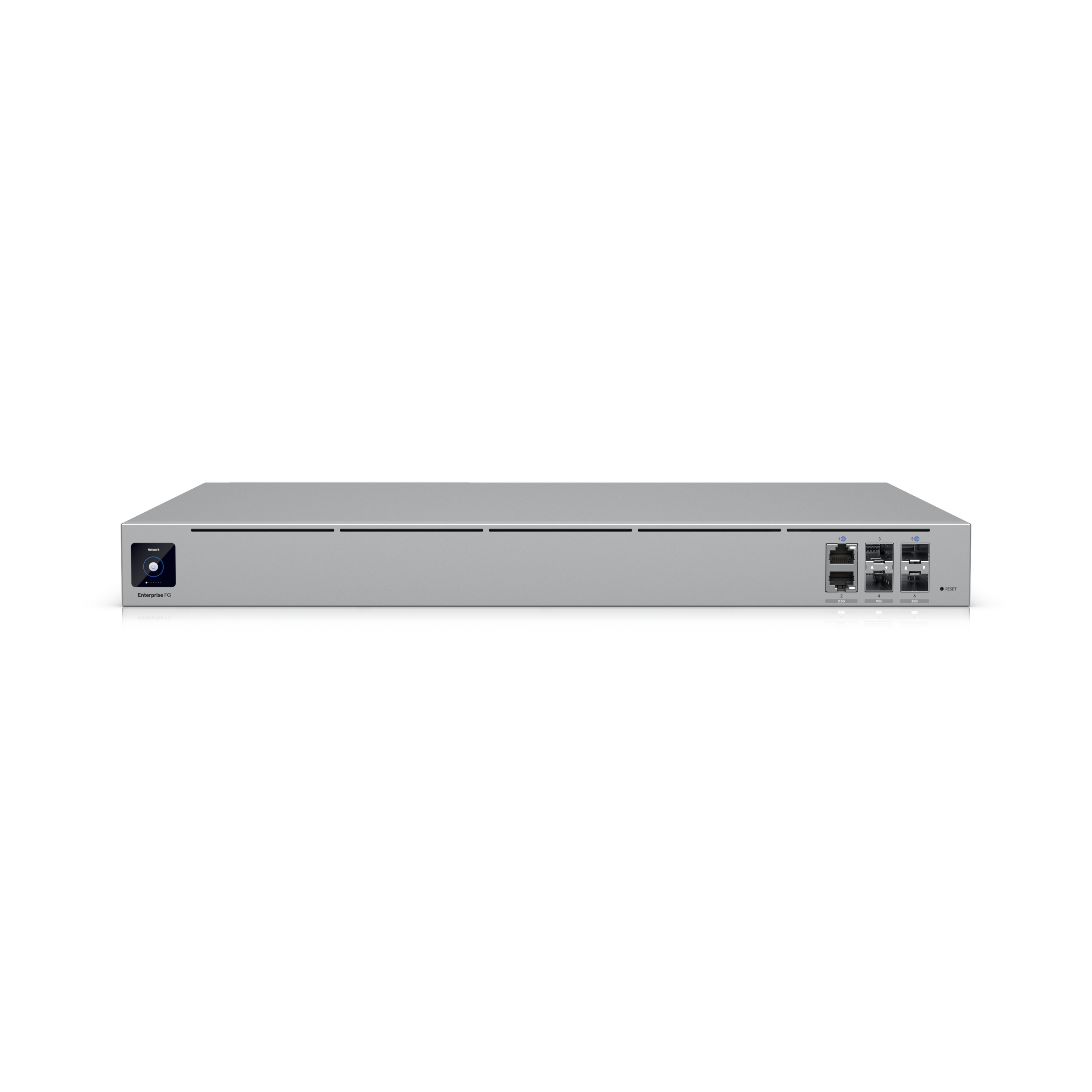
Enterprise Fortress Gateway
Multi Building Estate Gateway25G cloud gateway with 12.5 Gbps IDS/IPS throughput, support for 500+ UniFi devices and 5,000+ clients, and Shadow Mode high availability via VRRP. Ports include (2) 25G SFP28, (2) 10G SFP+, and (2) 2.5 GbE RJ45, all WAN/LAN remappable. License free NeXT AI Inspection decrypts and inspects SSL/TLS traffic in real time. Dual hot swappable PSUs and a 1.3" touchscreen. The pick when an estate needs power supply redundancy across multiple buildings. 1U rack mount.
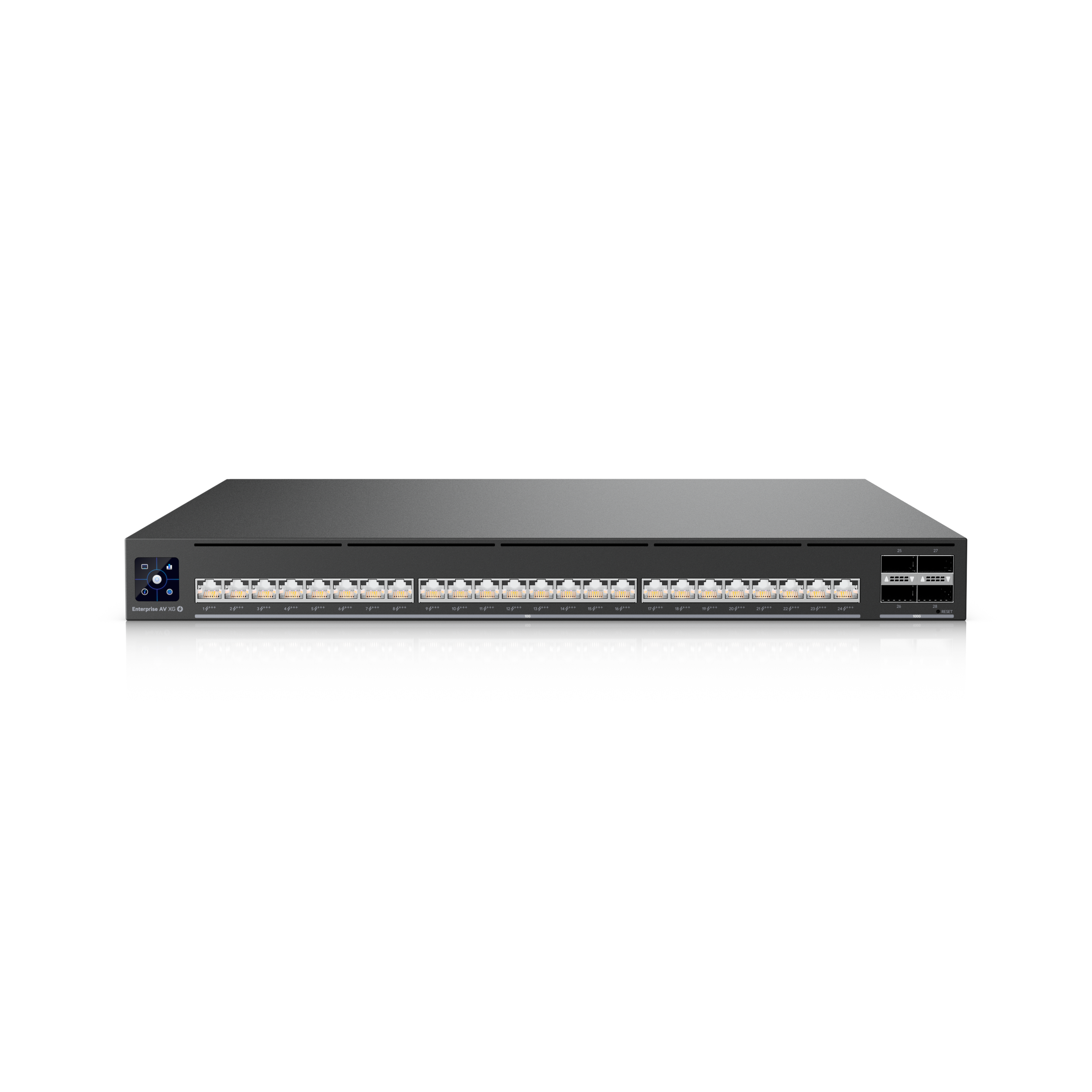
Enterprise AV XG 24 PoE
Dedicated AV over IP SwitchPurpose built for AV over IP installations. (24) 10G PoE+++ ports and (4) 100G QSFP28 uplinks, with hardware support for PTP timing, SMPTE ST 2110, SDVoE, and AES67 audio. High precision OCXO clock with optional GPS grandmaster input (SMA) for deterministic media synchronization across multi room AV systems.
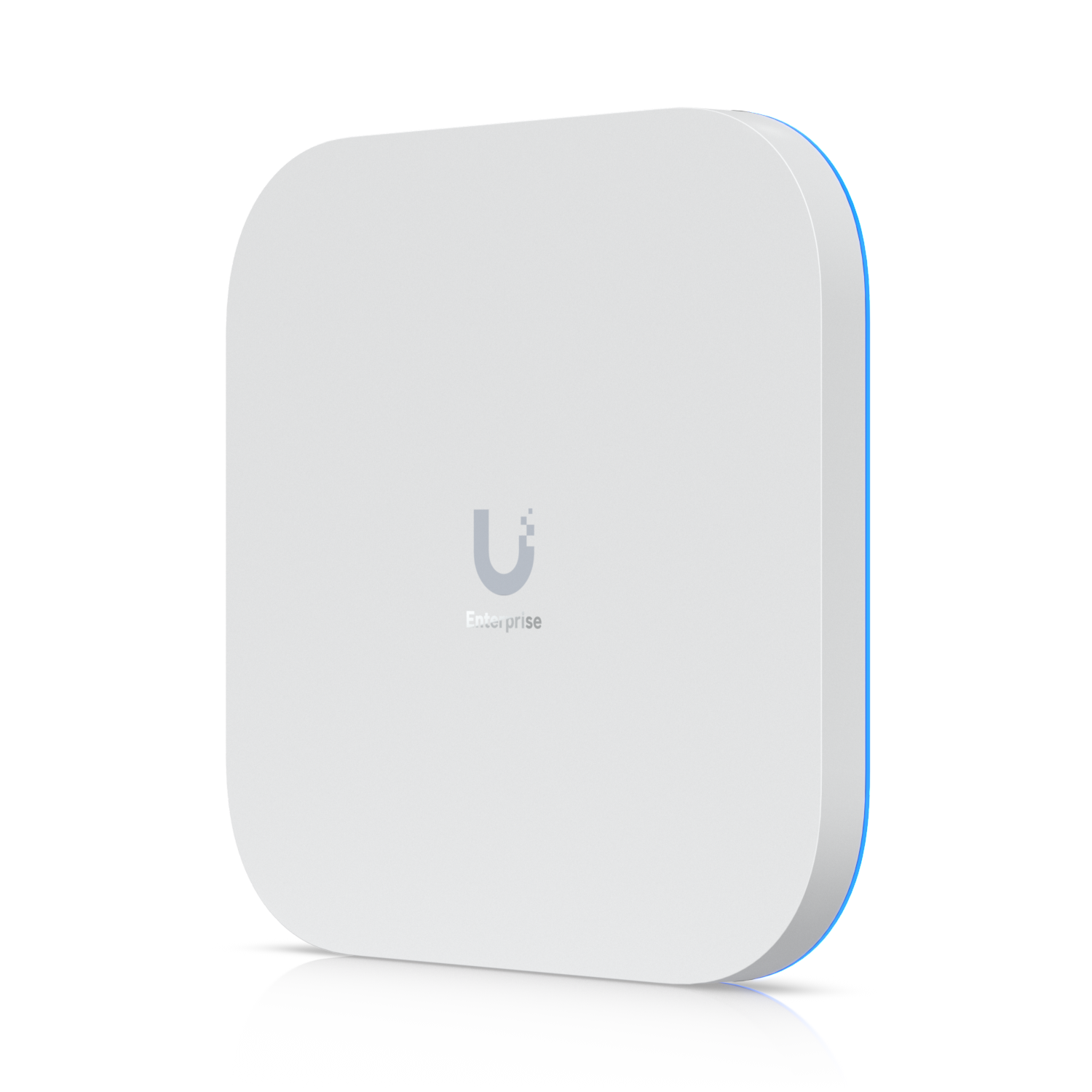
E7
Enterprise Wi-Fi 7 Access PointTop tier indoor Wi-Fi 7 with 10 spatial streams, up to 11.5 Gbps on 6 GHz, and AFC support for extended range 6 GHz coverage. Dual uplinks (10 GbE plus redundant 1 GbE) for high availability. Coverage of 2,000 sq ft with 1,000+ concurrent clients. PoE++ powered, ceiling, wall, or VESA mounting.
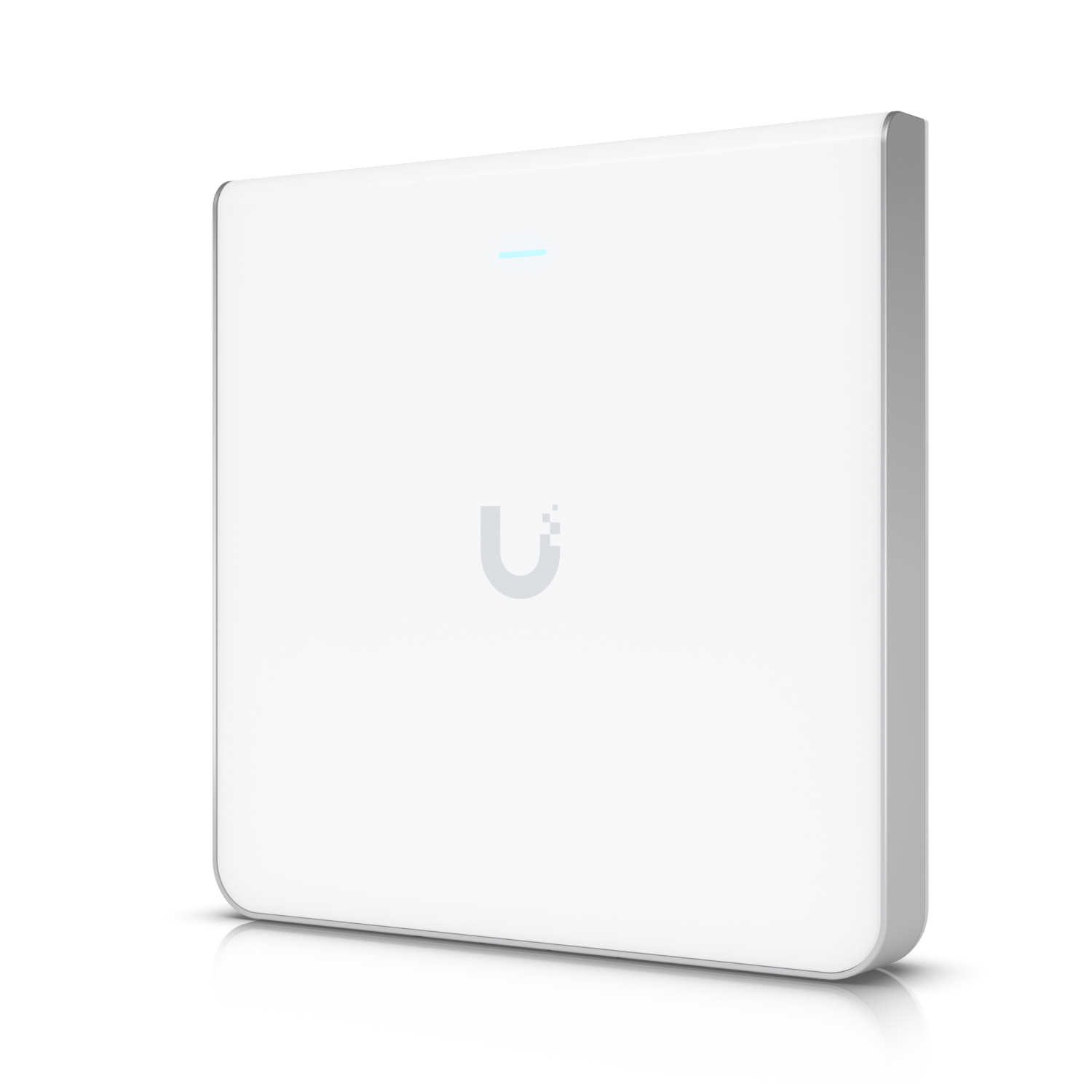
U6 Enterprise In-Wall
In-Wall Wi-Fi 6E Access PointWall mounted Wi-Fi 6E AP with 10 spatial streams and 6 GHz support, designed to drop into a single gang wall plate at the desk, bedside, or office. 2.5 GbE uplink plus four built in GbE ports for hardwiring nearby devices. PoE out on one downstream port when fed with PoE++. Up to 600+ clients.
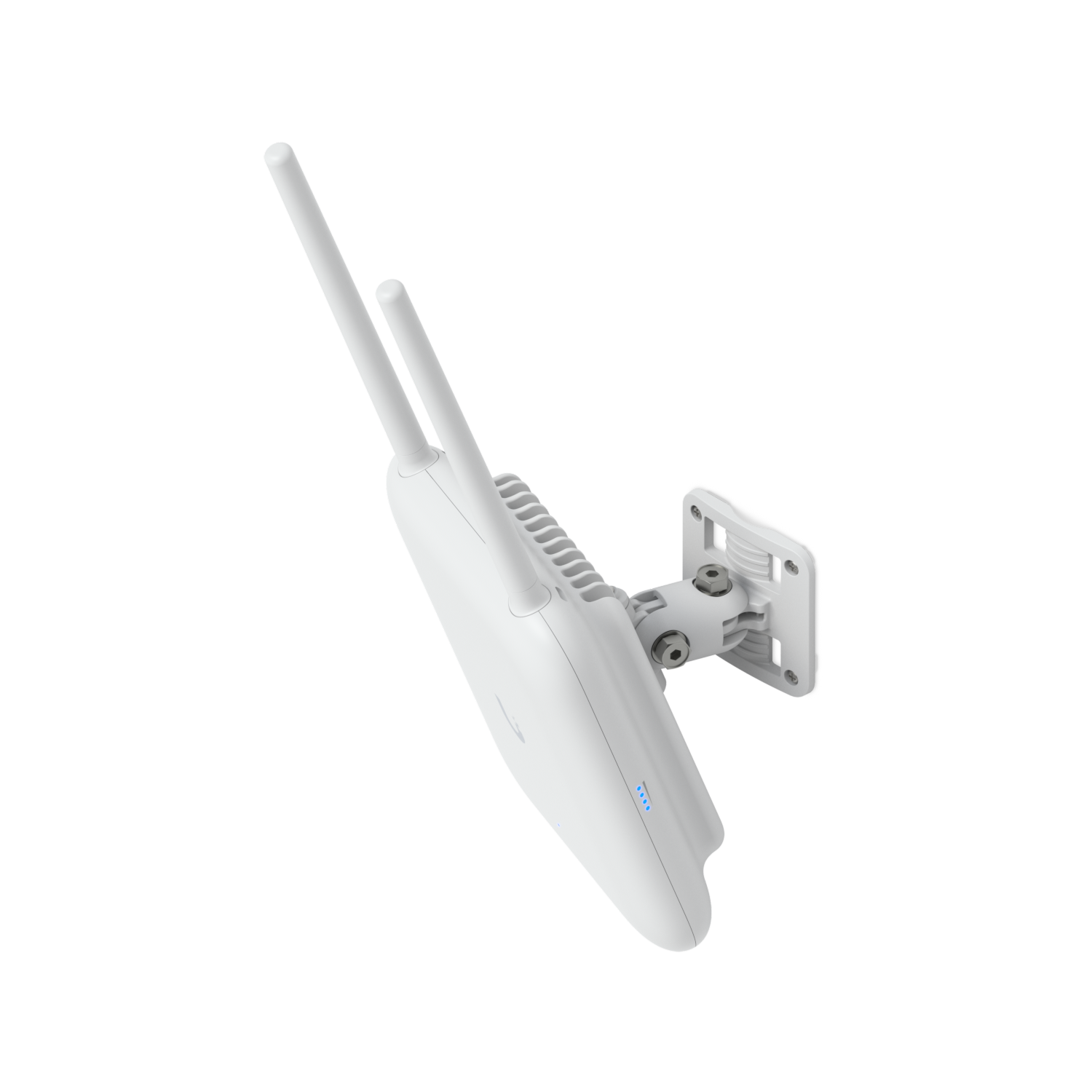
U7 Pro Outdoor
Outdoor Wi-Fi 7 Access PointAll weather IP67 Wi-Fi 7 AP for pool decks, gardens, courtyards, and detached structures. 6 spatial streams across tri band 2.4, 5, and 6 GHz, with AFC for extended range 6 GHz coverage. Integrated directional super antenna plus external omni antennas, articulating wall or pole mount. 2.5 GbE PoE+ uplink, 5,000 sq ft coverage, 300+ clients.
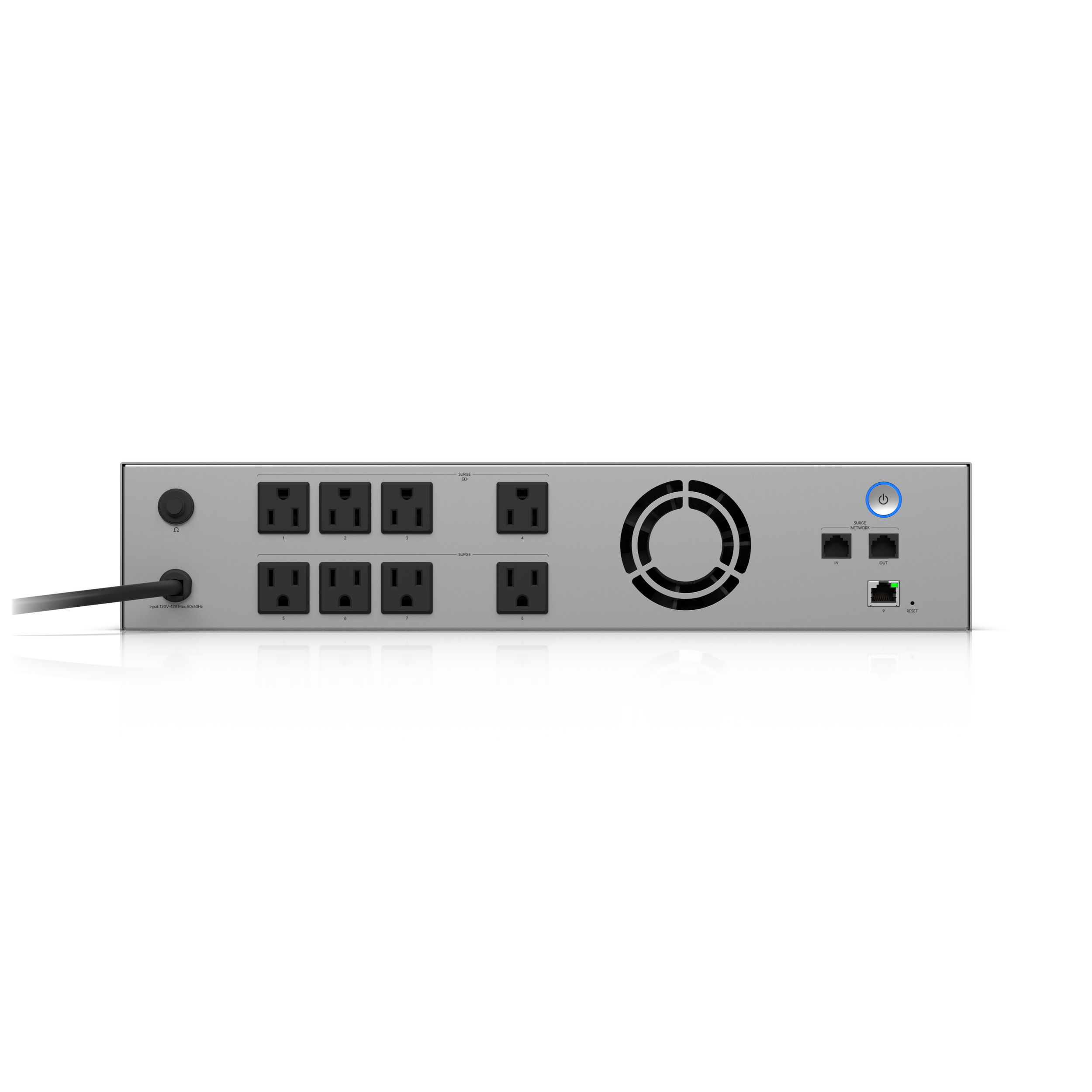
UPS 2U
Managed Rack UPS2U rack mount uninterruptible power supply with 1.44 kVA, 1,000W line interactive output and a 216 Wh field replaceable battery. Four battery backed outlets plus four surge only outlets, Ethernet managed in the UniFi dashboard, with Graceful Shutdown support for UNVR and UNAS. NUT compatible for third party servers.
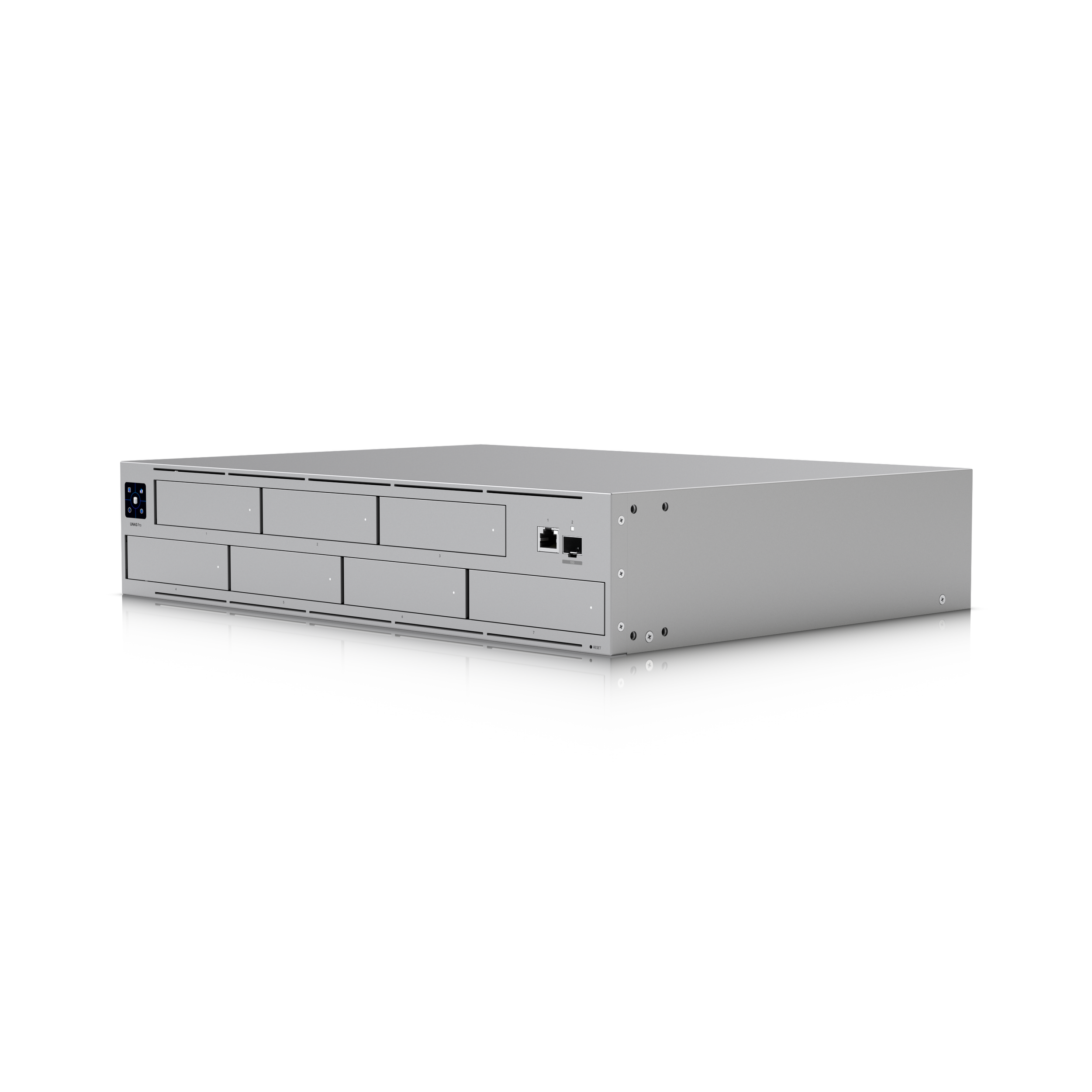
UNAS Pro
Network Attached Storage2U rack mount NAS with (7) 2.5 and 3.5 inch drive bays, 10G SFP+ plus 1 GbE networking, and a quad core ARM CPU with 8 GB RAM. RAID 5, 6, and 10 with flexible storage groups, snapshots, file encryption, SMB and NFS, Time Machine support, and remote backup to S3, Backblaze, Google Drive, OneDrive, and Dropbox. Managed in UniFi Drive.
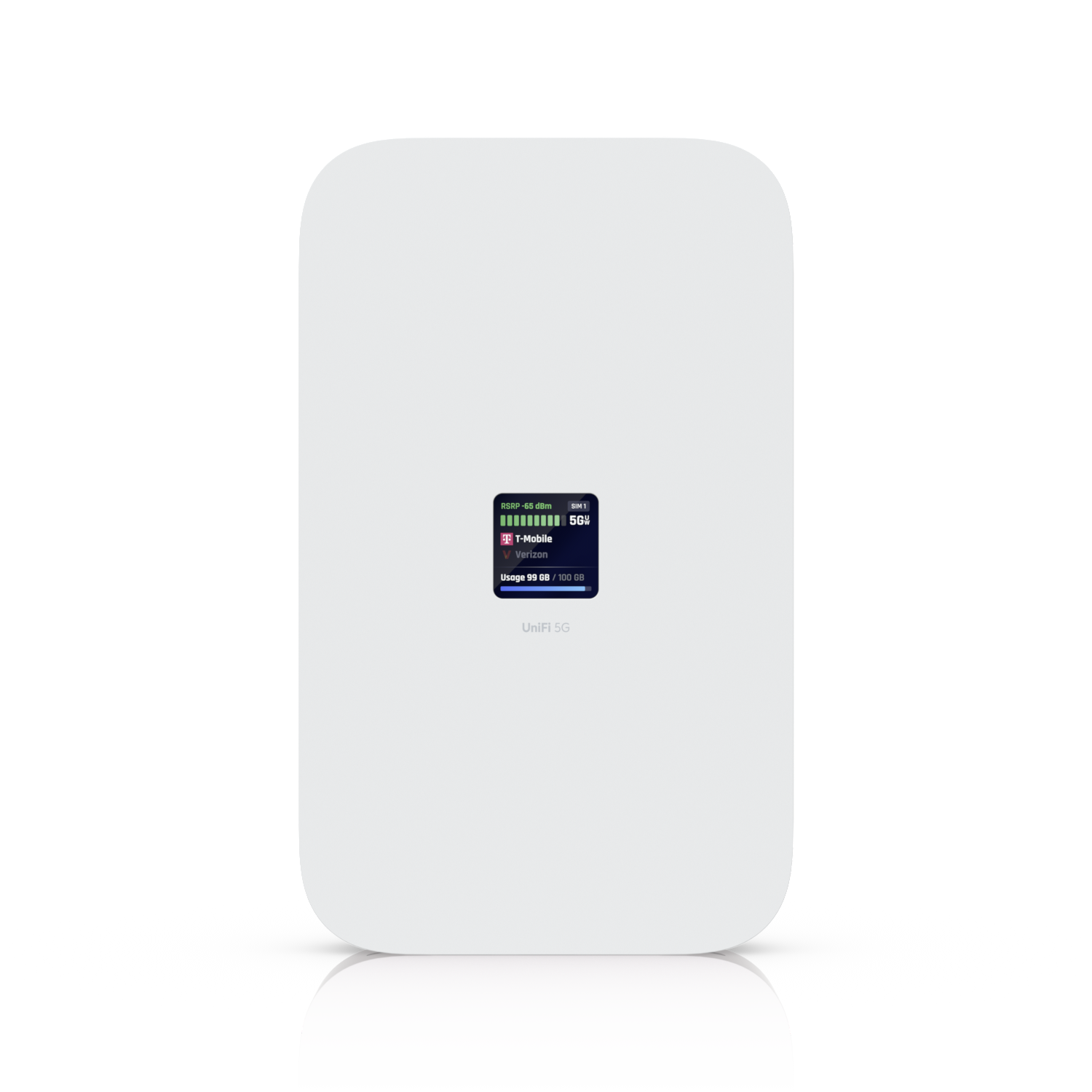
UniFi 5G Max
Cellular WAN and FailoverPoE powered 5G modem with downlink speeds up to 3.4 Gbps. Dual nano SIM with eSIM support, automatic UniFi adoption on any PoE port, and a 1.3" touchscreen for signal status. Runs as automatic ISP failover or full primary WAN, certified with major US carriers. 2.5 GbE uplink, 4G LTE fallback.
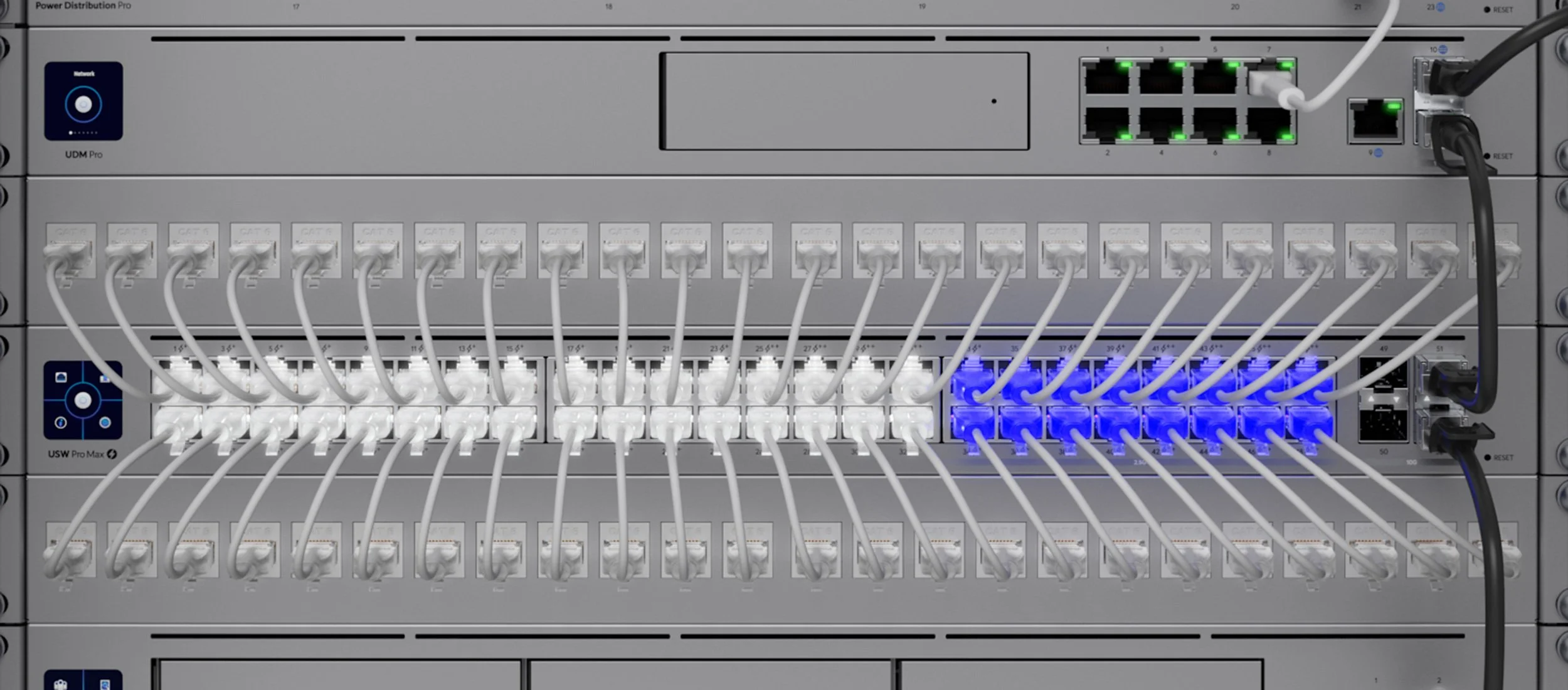
We Map Your Coverage Before We Install a Thing
Guesswork is how dead zones happen. Before we mount a single access point, we build your home in UniFi InnerSpace, the deployment visualization tool built into UniFi OS. We import or draw your floor plan, set the ceiling heights, trace your real walls, and choose the actual materials, drywall, glass, and concrete, so the model behaves like your home instead of an empty box. Then we drop access points and cameras into place and watch the coverage fill in room by room.
Because InnerSpace lives inside UniFi OS, it always reflects your real devices and their live status, so the coverage you approve in planning is the coverage you get after install. We check 2.4, 5, and 6 GHz separately, see where two or more access points overlap for redundancy, map every camera's field of view, and catch a thin corner before it ever turns into a service call.
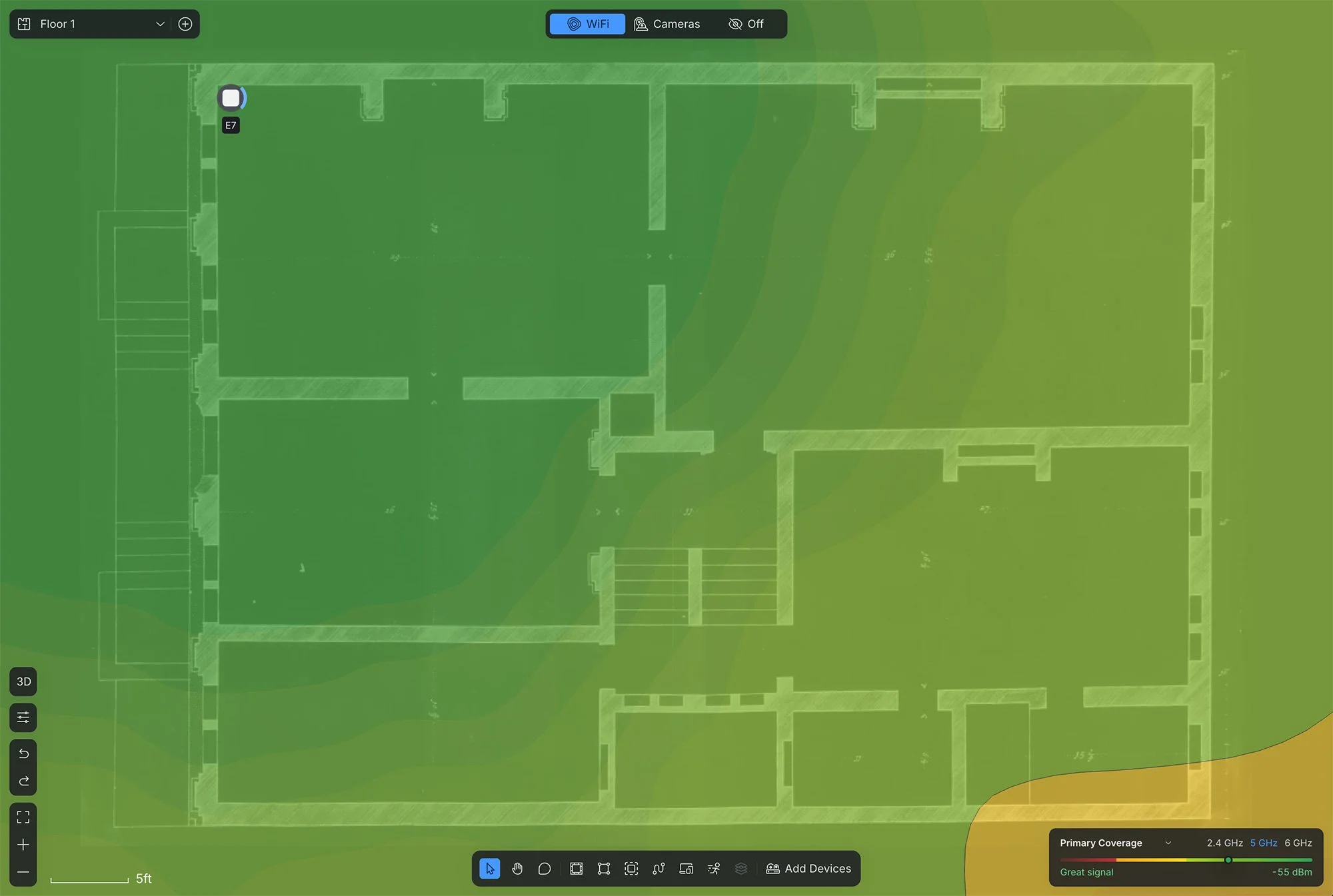
A single access point leaves the far corner thin. InnerSpace shows the gap before anything is installed, so we move or add an access point to close it.
Six Things Every Network Design Must Address
Access Point Placement
The location and mounting style of your access points fundamentally changes performance. Open air ceiling mounts behave differently than APs hidden inside millwork or installed in wall. We design for how your home actually looks, not just how it connects.
Channel Planning and Interference
Channel interference is the silent killer of network performance. Neighboring networks, smart appliances, and even your own APs can compete for the same frequencies. We perform RF assessments and configure non overlapping channels, optimal widths, and calibrated transmit power for your specific environment.
Do You Need Wi-Fi 7?
Wi-Fi 7 delivers multi gigabit speeds, Multi Link Operation, and 320 MHz channels. For homes with 8K streaming, dense device counts, or future proofing requirements, it is the right investment. The UniFi E7 also supports AFC, unlocking extended range 6 GHz coverage. We will tell you honestly whether you need it, and why.
Network Security
A password on your router is not security. A professionally secured network uses VLAN segmentation to isolate IoT devices, AV systems, guest traffic, and private computers. The UniFi gateway adds application aware firewall rules, IDS and IPS, and license free SSL/TLS inspection at the architecture level.
Install Environment
We walk every property before designing a network. Plaster walls, concrete slabs, steel structure, elevator shafts, wine cellars, and large glass surfaces all affect how wireless signals travel. Knowing the environment is non negotiable.
Proactive Monitoring
A professionally installed network should be proactively managed, not reactively repaired. Through UniFi Site Manager, we monitor health continuously, identifying slow speeds, offline devices, and coverage issues before you notice, and resolving them remotely whenever possible.
We Bring Real Test Gear to Prove It Works
A network is only as good as the cable and the signal behind it, and the only way to know it is right is to measure it. We do not eyeball a job and call it done. Every run gets tested and every band gets scanned with professional instruments, and you get the results.
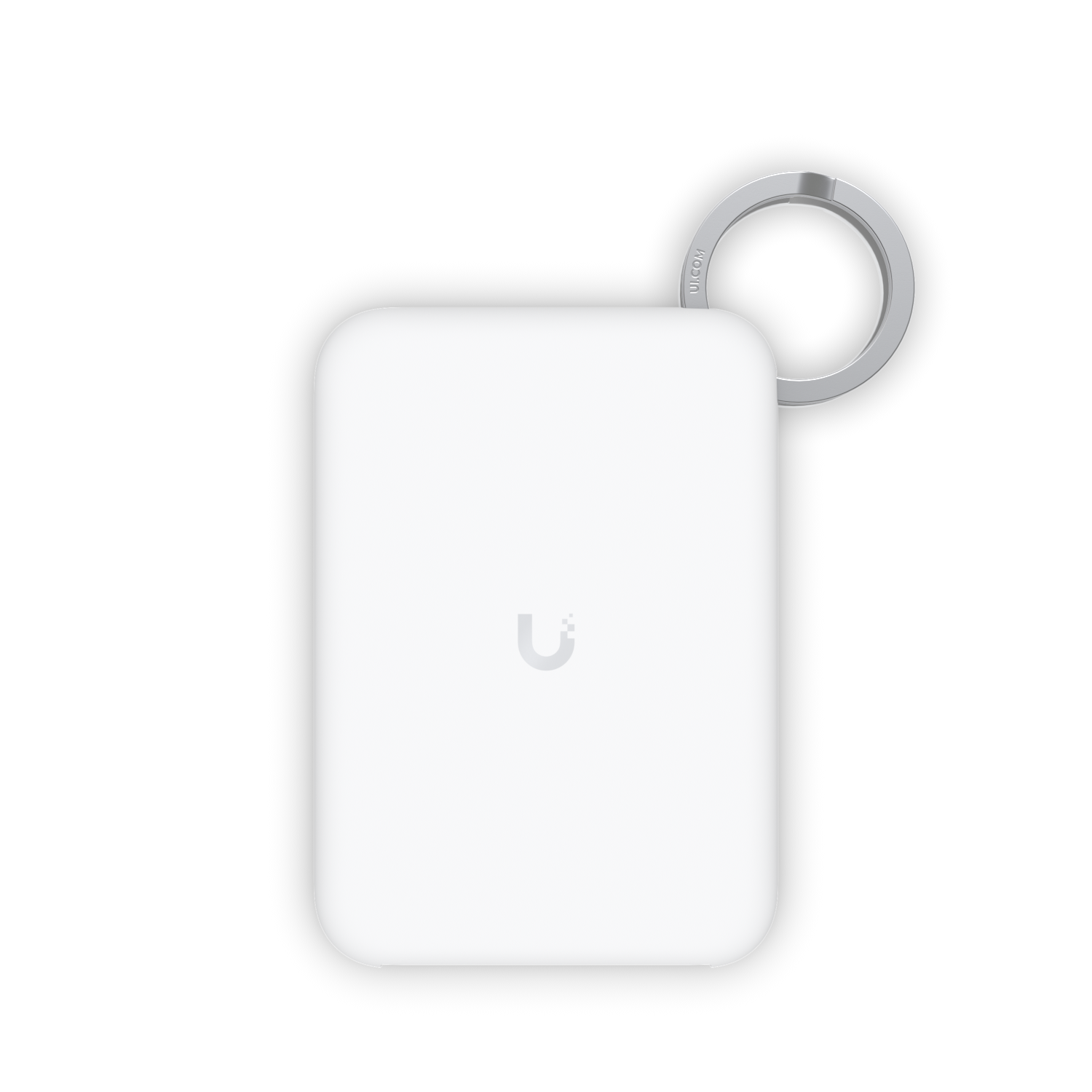
WiFiMan Wizard
RF Spectrum AnalyzerA true spectrum analyzer from Ubiquiti. It reads the actual radio energy in the 2.4 and 5 GHz bands, including interference from neighboring networks, appliances, and other devices that a phone's Wi-Fi scan never sees. It pairs to the WiFiMan app over Bluetooth and reports signal strength from -96 to 0 dBm, channel congestion, and live spectrum, so we tune your channels and access point placement against real conditions instead of a guess.
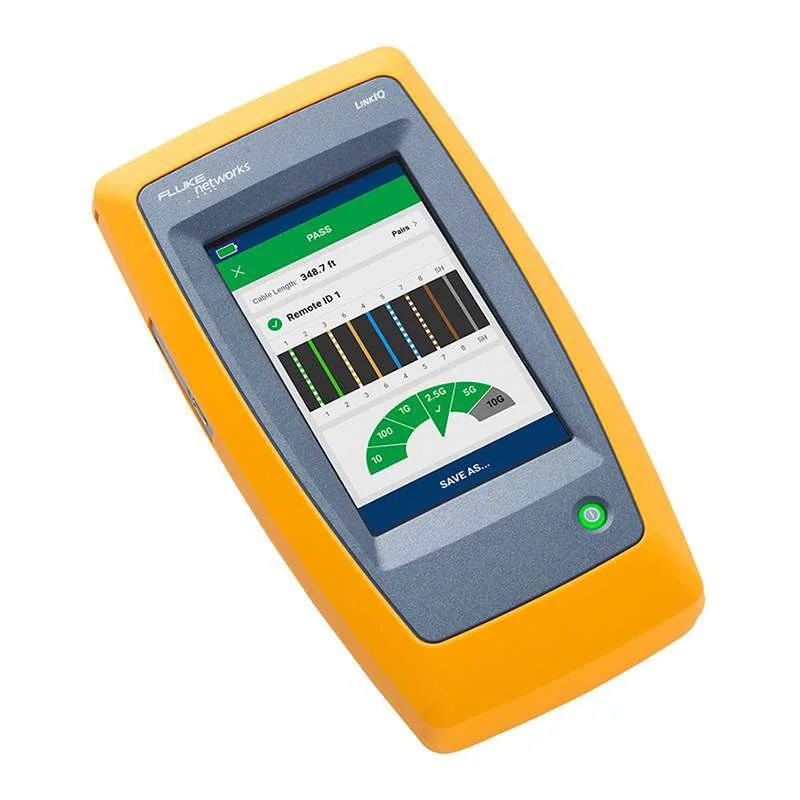
Fluke LinkIQ
Cable and Network TesterA professional cable and network tester from Fluke Networks. We test every run we terminate, qualifying it for real bandwidth up to 10G with frequency based measurements, mapping the wiring, and pinpointing any fault by distance. It also verifies PoE delivery with a load test up to Class 8 (90W) and reads nearest switch details like port, VLAN, and advertised speed. You get a documented report, not our word for it.
We Design Around Your Project
As an Official UniFi Partner, UniFi is our primary platform, and it covers the vast majority of luxury residential and estate scale projects we deploy. But we design around what your project actually needs. If your architect specifies Cisco or your existing home runs on another platform, we work with it.
Send us your plans, your existing equipment list, or just tell us what is not working. We will design the right solution.
Cisco: Enterprise Core
For estates with enterprise level complexity: multi building properties, hybrid residential and commercial builds, or environments requiring infrastructure aligned with corporate IT standards. We deploy Cisco switching and routing at the core when the project calls for it.
UniFi Site Manager: Remote Management
The cloud platform that lets us monitor, configure, and troubleshoot every UniFi device on your network from anywhere. We see problems forming before they become outages, push firmware updates on a schedule, and resolve most issues without scheduling a visit.
We are also authorized dealers for Araknis Networks for projects where it fits the budget and scope. For most luxury installations, UniFi enterprise gear gives you stronger hardware, better cloud management, and a unified platform that scales from a guest house to a multi building estate.
Common Questions About UniFi Home Networks
Are you a UniFi installer?
Yes. VIP Smart Homes is an Official UniFi Partner, which gives us direct manufacturer access, deal registration, and pre sales engineering support from Ubiquiti. We design, install, and manage UniFi networks for luxury homes and estates across Seattle and the Eastside, including Bellevue, Medina, Mercer Island, and Sammamish. UniFi is the platform we build on most because it scales cleanly from a single home to a multi building estate under one dashboard.
What is whole home Wi-Fi?
Whole home Wi-Fi means strong, reliable wireless coverage in every room of your home, plus outdoor spaces like patios, pool decks, and detached structures, with no dead zones and seamless roaming as you move around. Getting there in a large or multi story home takes more than one router or a mesh kit. It takes multiple access points, each placed and configured for your specific layout and wired back to a central switch.
Do you install mesh Wi-Fi systems?
No. Mesh systems relay traffic between nodes wirelessly, and every wireless hop reduces speed and adds latency. In a large home with plaster, concrete, or multiple floors, that shows up as slow spots and dropped connections right where you notice them. We install dedicated UniFi access points that are each hardwired back to a managed switch, so every access point delivers full bandwidth and roaming stays seamless. It is more work to install and it is far more reliable.
Why do I have Wi-Fi dead zones?
Dead zones happen when a single router or an underpowered mesh kit cannot push signal through the walls, floors, and distances of your home. Building materials like plaster, brick, concrete, and large panes of glass all absorb or reflect wireless signal. The fix is rarely a stronger router. It is the right number of access points, placed correctly and wired back to the network, with channels and transmit power tuned for your environment. We survey the property and design for complete coverage.
Do you map Wi-Fi coverage before installing?
Yes. Before we mount anything, we model your home in UniFi InnerSpace, the deployment visualization tool built into UniFi OS. We trace your real walls and their materials, place the access points and cameras, and review the coverage heatmap across 2.4, 5, and 6 GHz so we can spot a weak corner and adjust placement before a single cable is pulled. Because it runs inside UniFi OS, the plan reflects your actual devices, so what you approve is what you get.
How is a professional network different from a consumer router?
Consumer routers try to do everything (routing, switching, Wi-Fi, and firewall) in one box. A professional network separates those functions across dedicated, enterprise grade hardware: a gateway like the UniFi Dream Machine Beast for routing and security, managed PoE switches for wired distribution, and strategically placed access points for wireless coverage. The result is dramatically better performance, reliability, and security.
How many access points does my home need?
It depends on square footage, construction materials, and layout. A typical 3,000 to 5,000 sq ft home usually needs 3 to 5 access points. Larger estates with concrete, plaster, or multi building layouts may need 8 to 15 or more. The UniFi E7 covers up to roughly 2,000 sq ft with strong signal, and the U6 Enterprise In-Wall handles tighter spaces. We survey your property and design for complete coverage with no dead zones.
Do I need Wi-Fi 7?
For most homes today, Wi-Fi 6E delivers excellent performance. Wi-Fi 7 adds Multi Link Operation and 320 MHz channels, which is meaningful for homes with 8K streaming, heavy video conferencing, 100 or more devices, or clients who want to future proof. The UniFi E7 is also the first AP with built in AFC support, which unlocks higher power 6 GHz coverage. We will assess your actual needs and recommend accordingly.
What is VLAN segmentation and why does it matter?
VLANs (Virtual Local Area Networks) separate your network into isolated segments: one for your personal devices, one for IoT and smart home devices, one for guests, one for cameras. This means a compromised smart thermostat cannot access your personal files, and a guest's infected laptop cannot see your cameras. It is fundamental to network security and built into every UniFi system we deploy.
What does the AV switch do that a regular switch doesn't?
The UniFi Enterprise AV XG 24 PoE is built specifically for AV over IP. It supports SMPTE ST 2110, SDVoE, and AES67 audio with hardware level PTP timing and a high precision OCXO clock, which keeps video and audio streams synchronized across multiple rooms. For homes with whole house video distribution or pro grade audio over the network, it is the right switch for the job.
Can you fix my existing network?
In many cases, yes. We will assess your current equipment, cabling, and configuration. Sometimes the hardware is fine but the design is wrong: APs in the wrong locations, channels conflicting, no VLAN segmentation. Other times, the hardware needs to be replaced. Either way, we will tell you honestly what the right path is.
Do you run the cabling?
Yes. We install structured cabling (Cat6a or fiber) as part of every new construction and most renovation projects. Clean, labeled, terminated runs from your equipment rack to every access point, camera, and wired device. We also work with your electrician or low voltage contractor if they are handling the cable pulls.
Do you test the network after installation?
Yes, on every job. We qualify every cable run we terminate with a Fluke LinkIQ, confirming it can carry up to 10G and that PoE is delivered correctly, and we map the wiring to catch any fault. We scan the 2.4 and 5 GHz environment with a WiFiMan Wizard spectrum analyzer to find interference and tune channels and access point placement against real conditions. You get documented results, not just our word that it works.
What happens if my internet goes down?
We can install cellular failover with the UniFi 5G Max for clients who cannot afford downtime. The Dream Machine Beast and Enterprise Fortress Gateway both support dual WAN load balancing and failover natively, so a secondary ISP connection can take over automatically if the primary drops. Cameras keep recording, alarms keep communicating, and automation keeps running.
Do you offer ongoing network support?
Yes. Our monthly support plans include 24/7 remote monitoring through UniFi Site Manager, firmware updates, performance optimization, and priority on site support. We catch problems before you notice them and resolve most issues remotely.
Every Great Smart Home Starts With a Great Network
Whether you are building new, renovating, or frustrated with the Wi-Fi you have, a consultation costs you nothing. A poorly built network costs you everything.
Schedule a Free Consultation